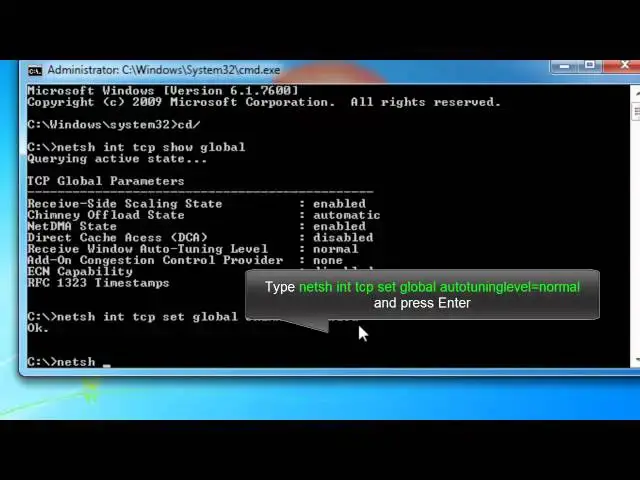

How to Double your Internet Speed using CMD 100% working.
Mar 24, 2024

Increase your internet speed using cmd, fix slow internet speed without using any software easily in Windows 7, Vista and XP.
Steps-
1. Open cmd as administrator.
2. Type netsh int tcp show global and hit enter.
3. Type netsh int tcp set global chimney=enabled and hit enter
4. Type netsh int tcp set global autotuninglevel=normal and hit enter
5. Type netsh int tcp set global congestionprovider=ctcp and hit enter
6. Check TCP connection status by typing netsh int tcp show global and hit enter.
This method does not work with windows 8 because Microsoft disabled ctcp ( Compound TCP) feature from windows 8.
Watch to Double your Internet Speed on Windows 8 and 8.1 - https://youtu.be/a9zzG-9ofUw
Note: It is advised to create a system restore point before following any Windows tutorial.
Video URL- http://youtu.be/c42rAkrIs8E
Visit - http://itechfever.com
Show More Show Less